Collect anything from any page.
Point any form, page or AI agent at one URL. formto stores every response, triages it with AI and emails you, then sends it where it needs to go.
<form action="https://…/f/your-form-id" method="POST">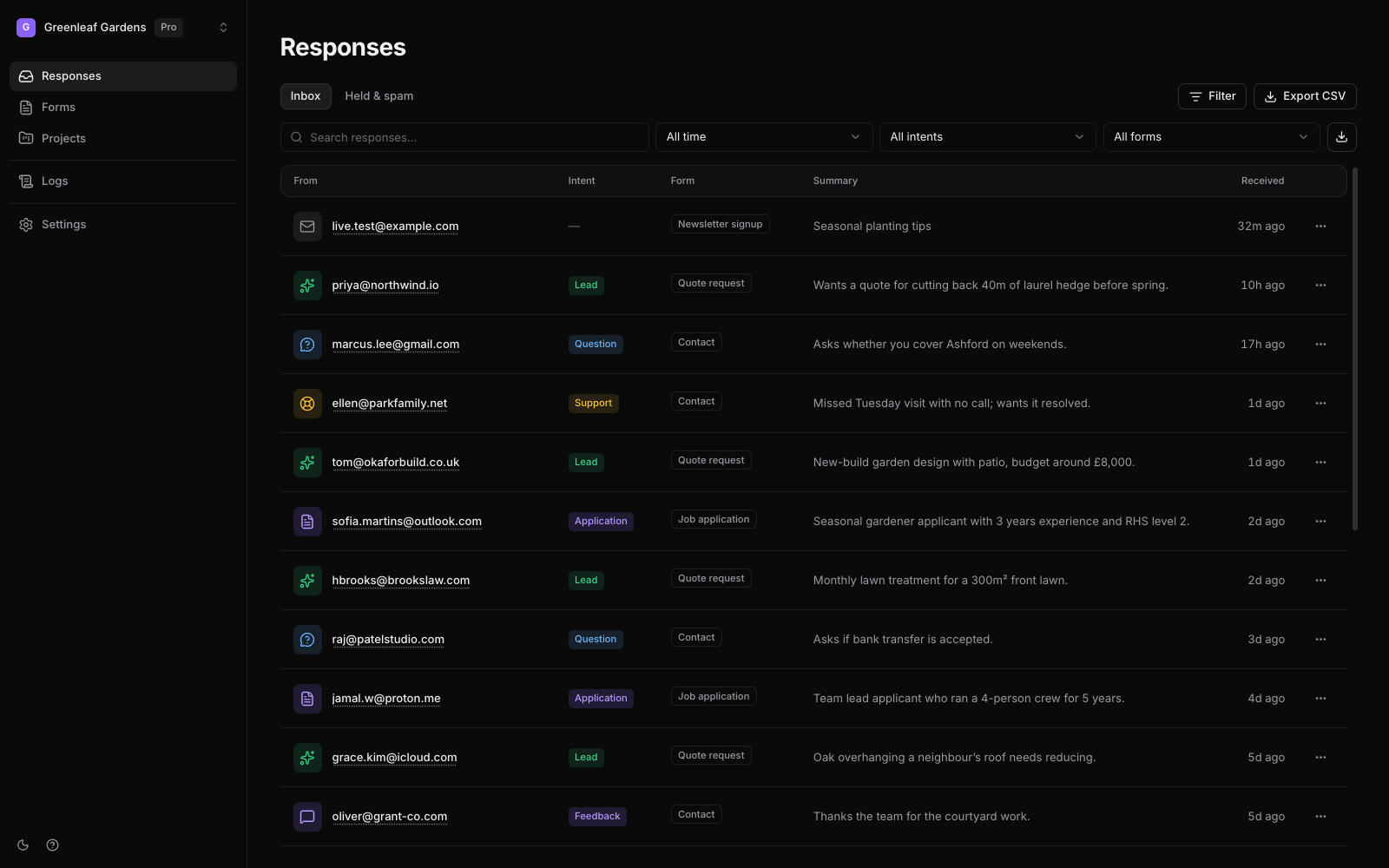
The gap
Form builders keep you on their page. Form backends hand you an endpoint and stop.
formto takes the POST from wherever your form lives, then does the rest: it keeps every response searchable, reads each one so you know what it is, tells you about it, and sends it on.
How it works
Three steps from signup to your first response.
- Step 1
Sign up
Your workspace starts with a Contact form and its endpoint, ready to receive.
- Step 2
Point a form at it
Paste the HTML snippet, run the curl command, or hand the prompt to your AI agent.
- Step 3
Watch responses arrive
Each one is stored, triaged and emailed to you, then sent on to the tools you connect.
What you get
Everything here is shipped and tested.
- Accepts JSON, urlencoded and multipart POSTs from any page, and unknown fields become columns.
- AI triage of every response: intent, spam score, summary and extracted fields.
- An email notification on every response, sent to the form owner by default.
- File uploads up to your plan’s limit.
- Search, filters and CSV export across every form.
- Responses appear in the dashboard live, as they arrive.
- Signed webhooks (Standard Webhooks) to any https endpoint, with private addresses refused.
- Responses posted to Slack, Discord and Zapier.
- A delivery log with every attempt, automatic retries and one-click replay.
- Your AI agent can create forms and read responses through the formto MCP server and CLI.
Questions
Before you start
- Do I need a server or a form builder?
- No. Any page that can send a POST works: plain HTML, a site builder’s code block, a React app, or a page your AI agent wrote. The form stays where you put it.
- What happens when a form gets more responses than my plan?
- Nothing is lost. Responses over the monthly limit are still stored and shown, and they are delivered as soon as you upgrade.
- Can I take my data with me?
- Yes. Export any form, or every form, as CSV whenever you like.
- Is there a free plan?
- Yes, and it needs no card. See pricing for what each plan includes.